> ## Documentation Index
> Fetch the complete documentation index at: https://docs.meshconnect.com/llms.txt
> Use this file to discover all available pages before exploring further.
# Fiat currency support
By the end of this guide, you'll know how to configure Link to display fiat amounts in your users' preferred currency using the `displayFiatCurrency` parameter.
**Before you start**
* You have the Mesh SDK initialized and launching (see [Launch the Mesh SDK](/build/launch-sdk))
## Overview
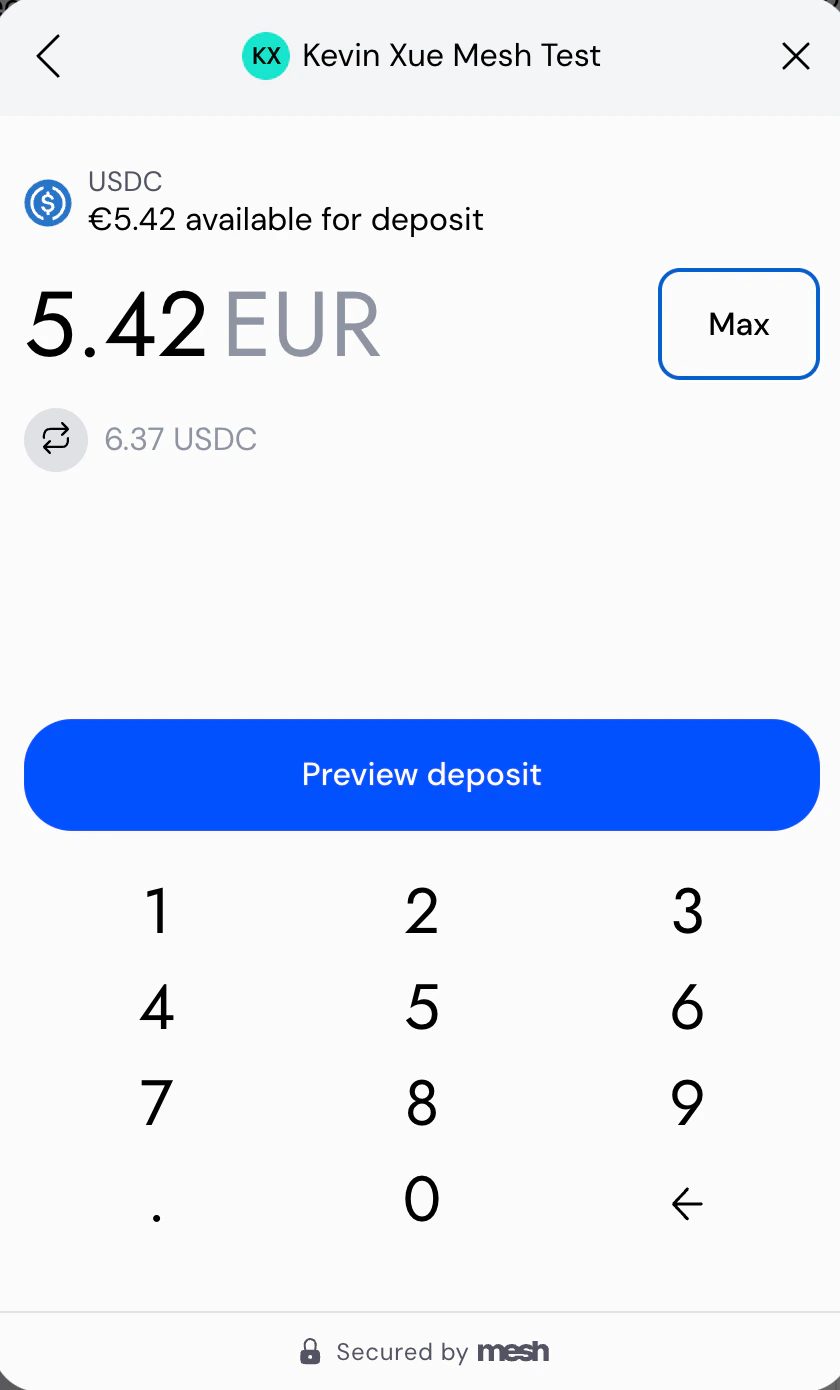
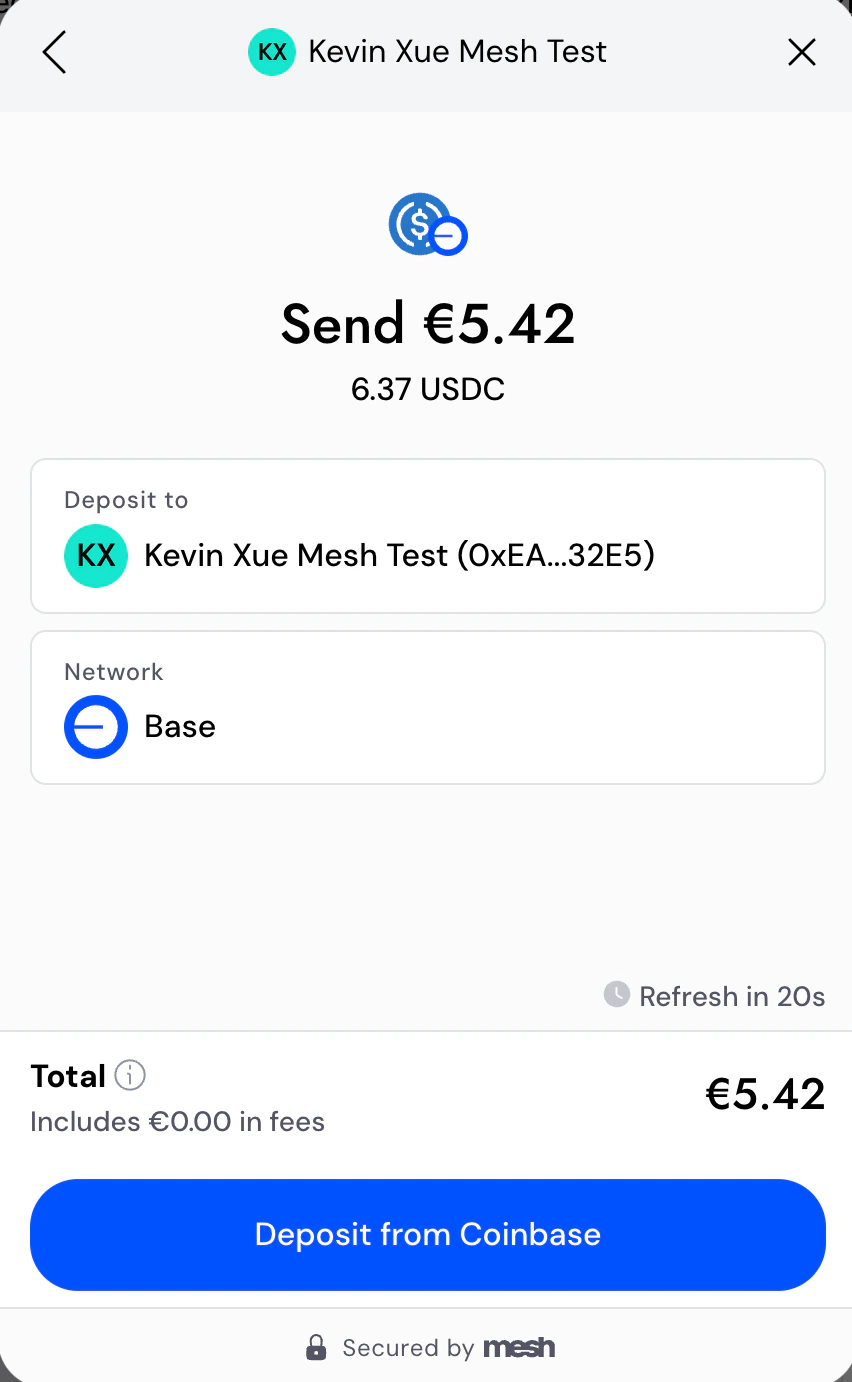
Users see fiat-equivalent values in many places throughout Mesh's transfer flows (configuring a transfer, previewing it, etc.). It defaults to USD, but if your app shows fiat values in another currency, it can be jarring for that currency to switch mid-session. You can use the `displayFiatCurrency` parameter in the Mesh SDK to configure this.
## Implementation
### 1. Initialize Link with `displayFiatCurrency`
When you initialize Link in your application, use the `displayFiatCurrency` parameter to specify the desired fiat currency behavior.
```javascript theme={null}
const connection = createLink({
...
displayFiatCurrency: 'USD',
...
})
```
```swift theme={null}
let settings = LinkSettings(displayFiatCurrency: "USD",
...)
```
```kotlin theme={null}
val configuration = LinkConfiguration(
...
displayFiatCurrency = "USD",
...
)
```
```javascript theme={null}
return <...
settings={{
displayFiatCurrency: 'USD',
...
}}
```
```dart theme={null}
final result = await MeshSdk.show(
context,
configuration: MeshConfiguration(
displayFiatCurrency: 'USD',
...
),
```
### 2. Test your implementation
Thoroughly test your implementation to ensure a seamless experience for your users:
* Verify that Link displays correctly with the fiat currencies you intend to support.
## UI behavior
All fiat amounts in Mesh Link will display in the specified currency.
## Supported currencies
If you need a currency that isn't listed below, reach out to your Mesh representative and we'll get it added.
| Status | Symbol | Currency |
| ------------------------------------------------------ | ------ | ------------------ |
| live | USD | US Dollar |
| live | EUR | Euro |
| live | GBP | British Pound |
| backlog | CNY | Chinese Yuan |
| backlog | JPY | Japanese Yen |
| backlog | CHF | Swiss Franc |
| backlog | CAD | Canadian Dollar |
| backlog | AUD | Australian Dollar |
| backlog | KRW | South Korean Won |
| backlog | HKD | Hong Kong Dollar |
| backlog | INR | Indian Rupee |
| backlog | BRL | Brazilian Real |
| backlog | MXN | Mexican Peso |
| backlog | SGD | Singapore Dollar |
| backlog | TRY | Turkish Lira |
| backlog | SAR | Saudi Riyal |
| backlog | AED | UAE Dirham |
| backlog | ZAR | South African Rand |
| backlog | THB | Thai Baht |
## What's next
Both `displayFiatCurrency` and `language` are configured in the same SDK initialization call. See [Multi-language support](/resources/multi-language) for the companion guide on configuring display language, or [Launch the Mesh SDK](/build/launch-sdk) for the full SDK initialization reference across all five platforms.
***
*AI coding reference — a compact summary of this page's APIs, parameters, and patterns for use by AI coding assistants (following the [llms.txt standard](https://llmstxt.org/)). Human readers can safely ignore this.*
**llms.txt — Fiat currency support**
Configure the `displayFiatCurrency` parameter to display fiat amounts in the user's preferred currency throughout Link.
**Set in SDK initialization** (all 5 platforms, same parameter name): `displayFiatCurrency: 'USD'`
**Values**: ISO 4217 currency code. Defaults to `'USD'` if not specified.
**Currently live**: USD (US Dollar) | EUR (Euro) | GBP (British Pound)
**Backlog (not yet live)**: CNY, JPY, CHF, CAD, AUD, KRW, HKD, INR, BRL, MXN, SGD, TRY, SAR, AED, ZAR, THB
**Note**: Affects all fiat-equivalent display values throughout Link (transfer config, preview, etc.). Does not affect which currencies users can transact in — only the display conversion. `displayFiatCurrency` and `language` are set in the same SDK initialization call.