
displayFiatCurrency parameter.
Before you start
- You have the Mesh SDK initialized and launching (see Launch the Mesh SDK)
Overview
Users see fiat-equivalent values in many places throughout Mesh’s transfer flows (configuring a transfer, previewing it, etc.). It defaults to USD, but if your app shows fiat values in another currency, it can be jarring for that currency to switch mid-session. You can use thedisplayFiatCurrency parameter in the Mesh SDK to configure this.
Implementation
1. Initialize Link with displayFiatCurrency
When you initialize Link in your application, use the displayFiatCurrency parameter to specify the desired fiat currency behavior.
Web SDK initialization structure

Web SDK initialization structure
iOS Native SDK initialization structure

iOS Native SDK initialization structure
Android Native SDK initialization structure

Android Native SDK initialization structure
ReactNative SDK initialization structure

ReactNative SDK initialization structure
Flutter SDK initialization structure

Flutter SDK initialization structure
2. Test your implementation
Thoroughly test your implementation to ensure a seamless experience for your users:- Verify that Link displays correctly with the fiat currencies you intend to support.
UI behavior
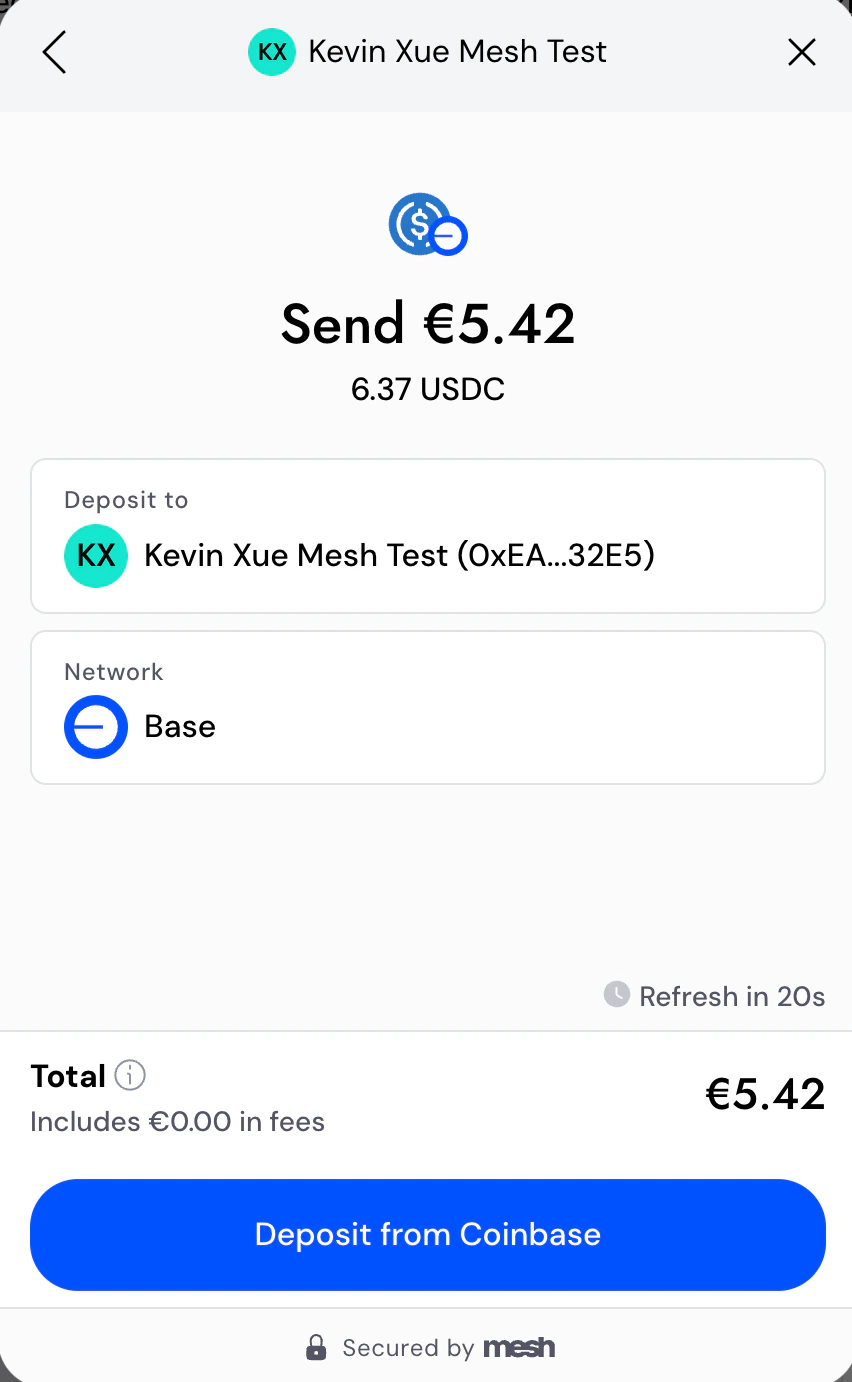
All fiat amounts in Mesh Link will display in the specified currency.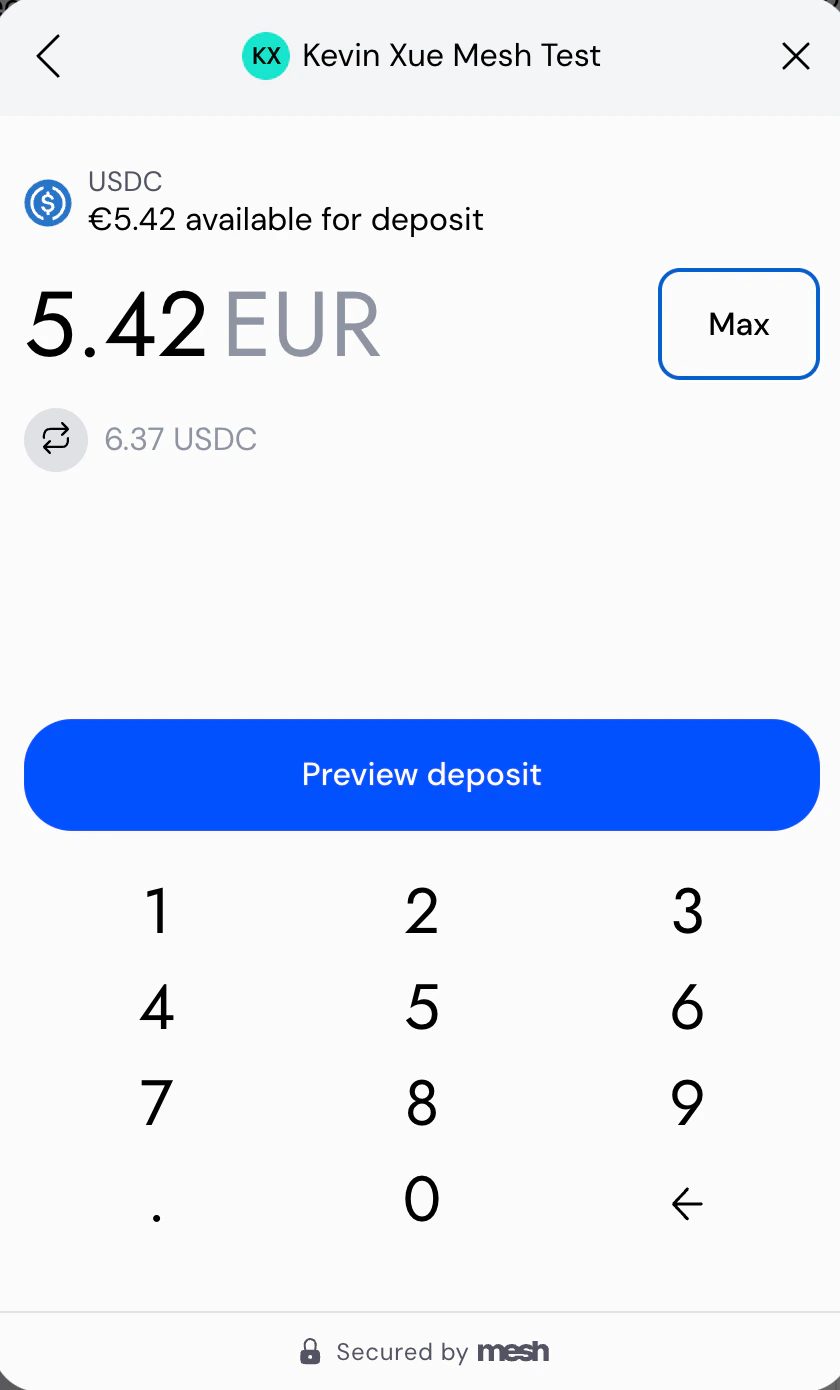
Supported currencies
If you need a currency that isn’t listed below, reach out to your Mesh representative and we’ll get it added.What’s next
BothdisplayFiatCurrency and language are configured in the same SDK initialization call. See Multi-language support for the companion guide on configuring display language, or Launch the Mesh SDK for the full SDK initialization reference across all five platforms.
AI coding reference (llms.txt)
AI coding reference (llms.txt)
AI coding reference — a compact summary of this page’s APIs, parameters, and patterns for use by AI coding assistants (following the llms.txt standard). Human readers can safely ignore this.llms.txt — Fiat currency supportConfigure the
displayFiatCurrency parameter to display fiat amounts in the user’s preferred currency throughout Link.Set in SDK initialization (all 5 platforms, same parameter name): displayFiatCurrency: 'USD'Values: ISO 4217 currency code. Defaults to 'USD' if not specified.Currently live: USD (US Dollar) | EUR (Euro) | GBP (British Pound) | NOK (Norwegian Krone) | SEK (Swedish Krona) | DKK (Danish Krone) | CHF (Swiss Franc) | PLN (Polish Zloty) | RON (Romanian Leu) | HUF (Hungarian Forint) | CZK (Czech Koruna) | SGD (Singapore Dollar) | HKD (Hong Kong Dollar) | TWD (New Taiwan Dollar) | KES (Kenyan Shilling) | AED (UAE Dirham) | SAR (Saudi Riyal) | AUD (Australian Dollar) | NZD (New Zealand Dollar) | ZAR (South African Rand) | ILS (Israeli New Shekel) | BRL (Brazilian Real) | TRY (Turkish Lira)Backlog (not yet live): CNY, JPY, CAD, KRW, INR, MXN, THBNote: Affects all fiat-equivalent display values throughout Link (transfer config, preview, etc.). Does not affect which currencies users can transact in — only the display conversion. displayFiatCurrency and language are set in the same SDK initialization call.